The workflow service (magicvarsh-workflow-service, internal port 8094) embeds Flowable 7.0.1 (BPMN 2.0) and can also delegate to an external Camunda or Activiti engine. A gateway filter intercepts matching API calls and runs them through a workflow before (or after) they reach the target service.
Core concepts
- Workflow definitions — BPMN 2.0 XML deployed via the admin UI or
POST /api/workflow/definitions/deploy; theprocess_keycomes from the BPMN process id, auto-versioned with one active version per key. - Service bindings — map an API call (
service_name, Ant-stylepath_pattern,http_method, PRE/POSTtrigger_type) to a workflow. First match wins; the gateway binding cache refreshes every 60s. - PRE interception — holds the request, returns
202with acorrelationIdand PENDING status; the client polls until it is approved and forwarded. - POST interception — the request passes through immediately and the workflow runs asynchronously afterwards (audit, notifications, post-processing).
Staged requests move through PENDING → APPROVED | REJECTED | EXPIRED | ERROR. Tasks are claimed and completed from the admin Task Inbox or the /api/workflow/tasks API; completion sends an outcome variable that BPMN exclusive gateways branch on.
Escalation
Each binding can set an escalation threshold (default 60 minutes). An escalation scheduler runs every 5 minutes and emails the assigned manager (via the email service) for overdue tasks.
i
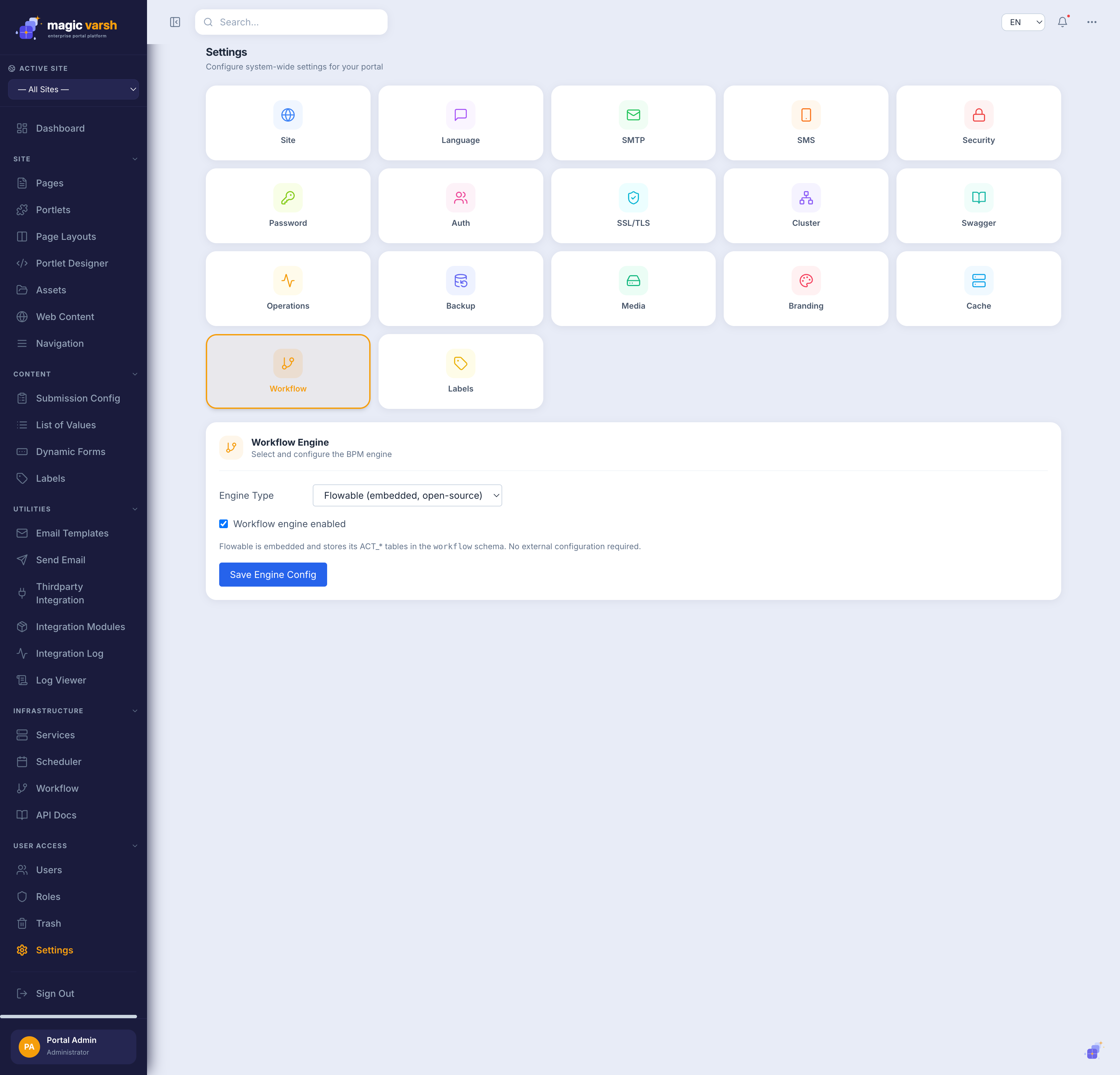
To use an external engine, set the engine type to CAMUNDA or ACTIVITI with its REST URL and credentials under Settings → Workflow — the switch is live and needs no restart.