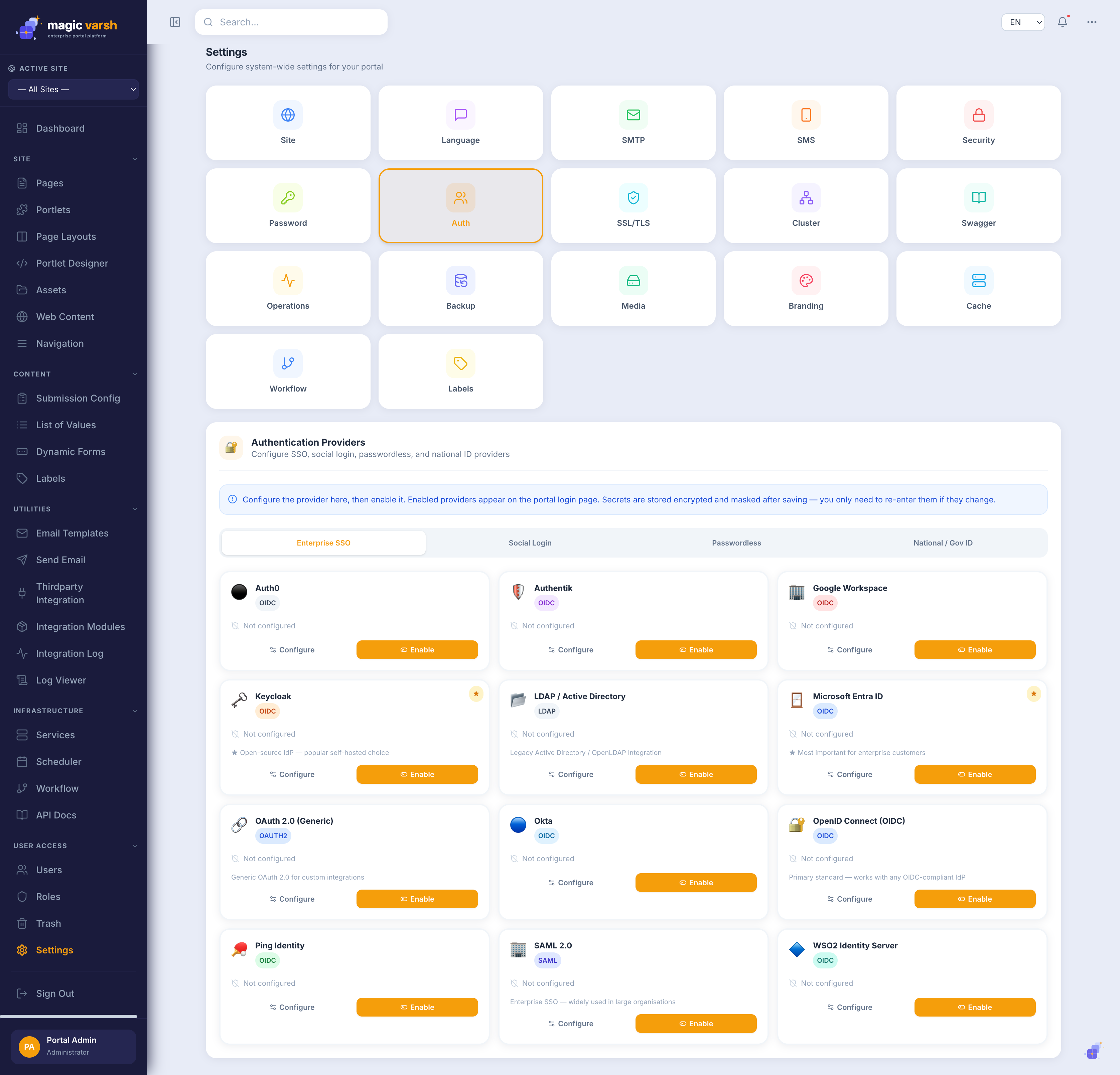
Beyond local accounts, Magic Varsh can authenticate users through external identity providers. Providers are configured under Settings → Auth and stored in the settings.auth_provider table. Once enabled, a provider's button appears on the login page.
Setup flow
- Register your application with the provider and obtain its credentials.
- Open Settings → Auth, choose the provider, and enter the credentials.
- Whitelist the redirect URI
https://<portal>/login/<provider-key>/callbackin the provider console. - Enable the provider. Its status moves Not configured → Configured → Active.
- Test via
https://<portal>/login/<provider-key>/test.
i
Saved secrets are masked (••••••••). For local development the redirect also accepts
http://localhost:3000/login/<provider-key>/callback.Supported providers
| Group | Providers |
|---|---|
| Enterprise SSO | OpenID Connect, OAuth 2.0, SAML 2.0, LDAP / Active Directory, Microsoft Entra ID, Okta, Auth0, Google Workspace, Keycloak, WSO2, Authentik, Ping Identity |
| Social login | Google, Microsoft, Apple, Meta, LinkedIn, GitHub |
| Passwordless | WebAuthn / Passkeys, FIDO2, Magic Link (email), OTP (SMS/email) |
| National / Government ID | Aadhaar (UIDAI), UAE PASS, Singpass, BankID |
Common config keys
- OIDC:
issuer_url,client_id,client_secret(discovery via/.well-known/openid-configuration). - OAuth 2.0:
authorization_url,token_url,client_id,client_secret. - SAML 2.0:
entity_id,sso_url,x509_certificate. - LDAP:
host,base_dn,bind_dn,bind_password. - Microsoft Entra ID:
tenant_id,client_id,client_secret. - UAE PASS:
client_id,client_secret,environment(default staging).
i
OTP supports
channel (sms/email/both), otp_length (default 6) and expiry_minutes (default 5); SMS via Twilio, Nexmo or AWS SNS. Magic Link uses the portal SMTP with a configurable token expiry.