Magic Varsh can send branded email — confirmations, notifications and announcements — from reusable templates so every message looks consistent.
Email templates
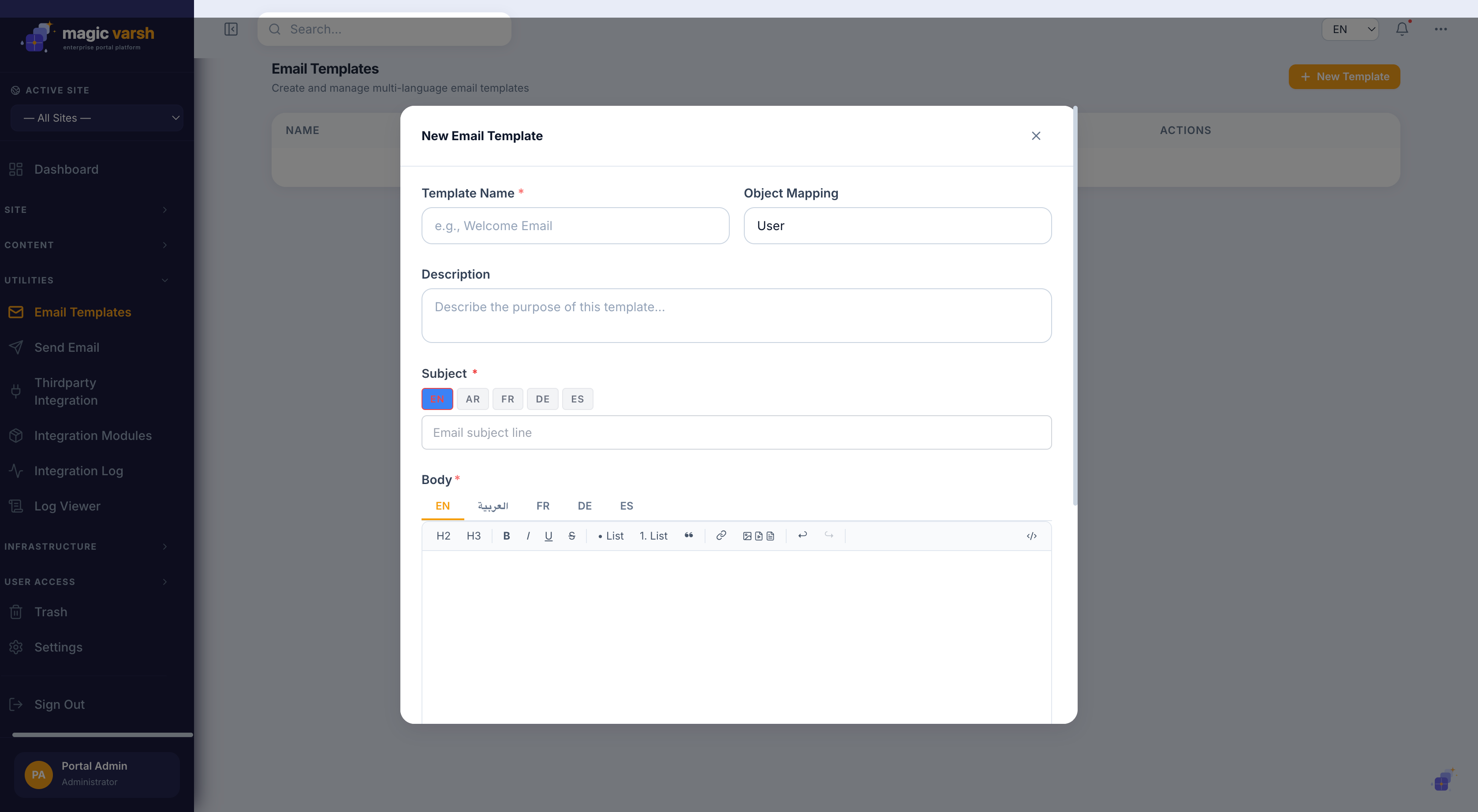
- Open Email Templates from the sidebar.
- Select New and give the template a name.
- Design the subject and body, using placeholders for dynamic values.
- Provide each language version, then save.
Templates are listed with their Name, Subject, Object (the event or entity the template relates to) and Role, so you can see at a glance what each one is for.
Sending email
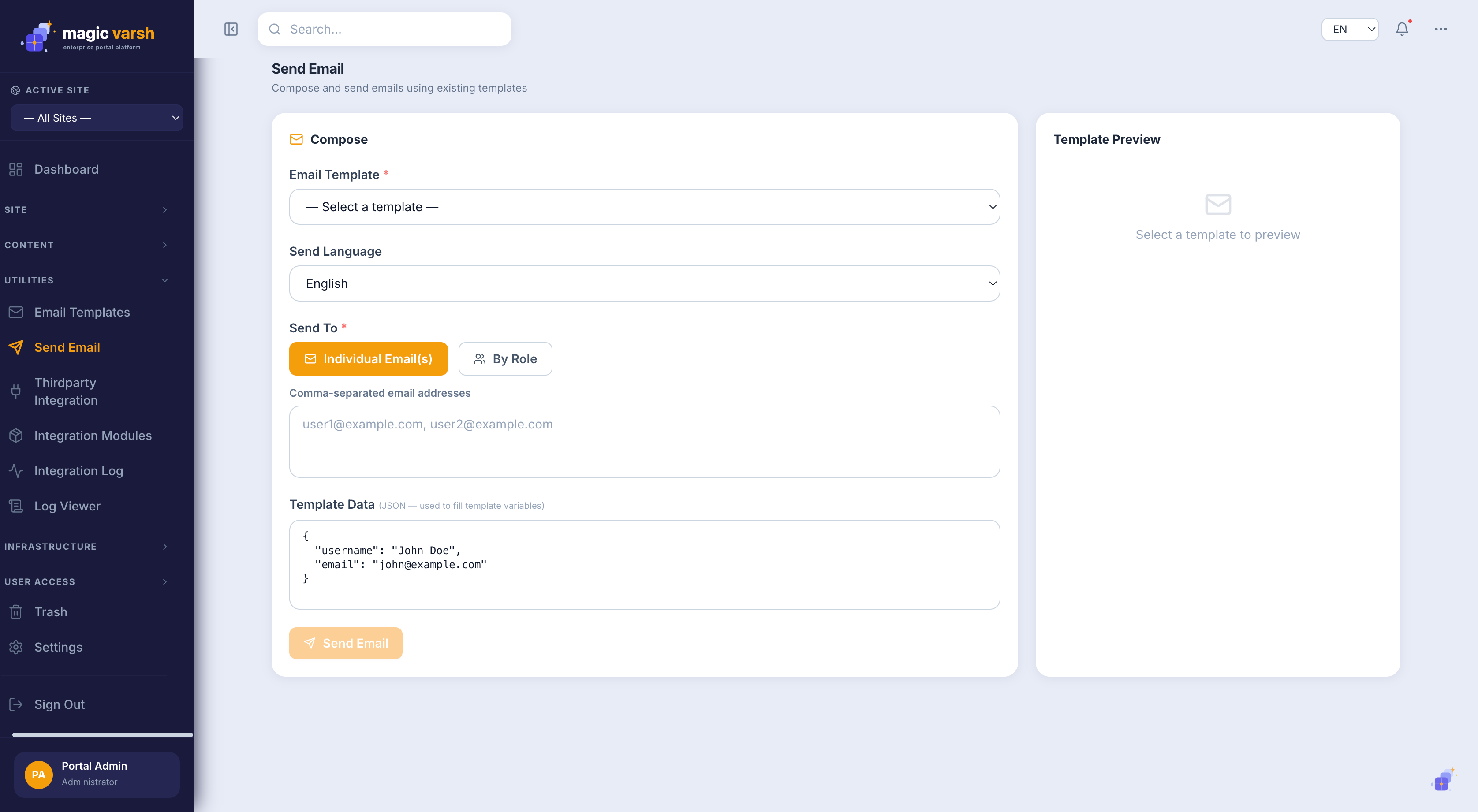
Use the Send Email screen to compose and send a message, optionally starting from a template. Recipients, subject and body can all be set before sending.
i
Email templates are multilingual, so a recipient receives the message in their preferred language when one is available.