Outbound communication is configured in the settings service (tables email_configuration and sms_configuration in the settings schema). Email supports SMTP, SOAP and REST transports; SMS supports SOAP and REST.
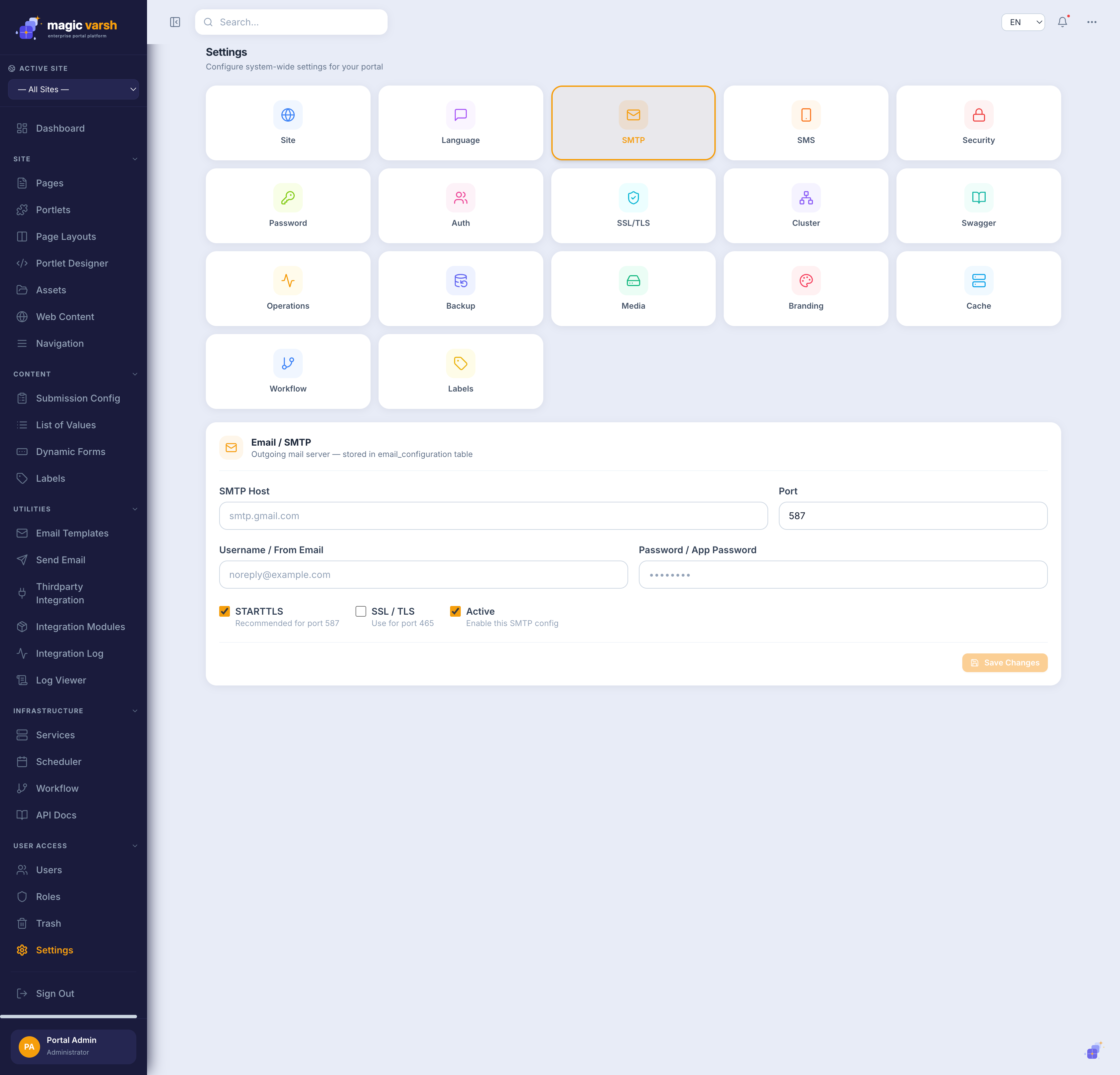
Configuration fields
- SMTP:
smtp_host,smtp_port,smtp_username,smtp_password,smtp_use_ssl,smtp_use_tls. - SOAP / REST:
service_url,sample_request(XML or JSON),service_username,service_password,soap_method_nameorrest_method_type. - Each config has a unique
config_nameand anis_activeflag.
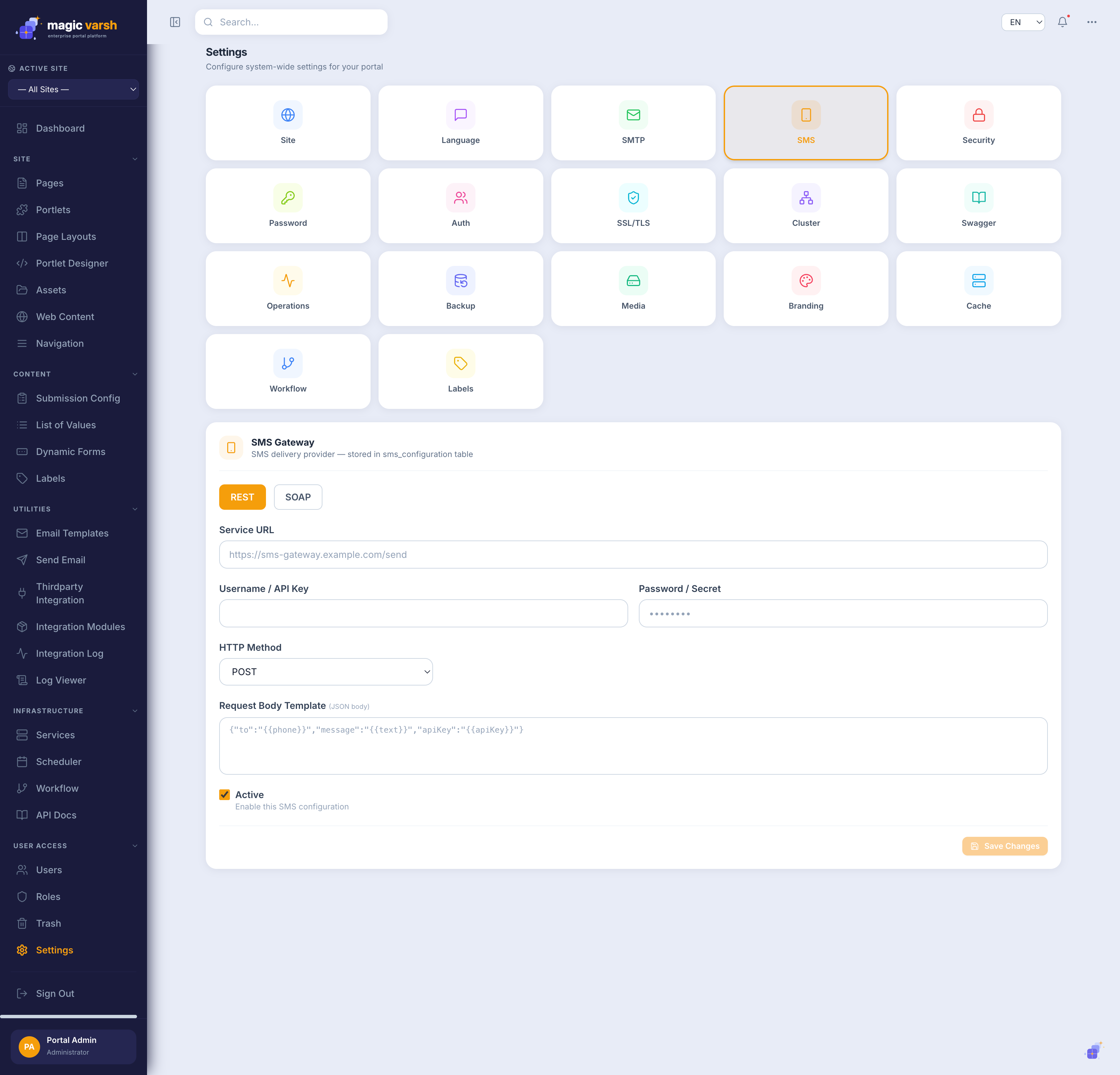
Templating
Requests use {{variable}} substitution. Email variables include {{emailto}}, {{emailsubject}}, {{emailcontent}}; SMS uses {{phoneto}} and {{messagecontent}}. API base paths: /api/settings/email, /api/settings/sms, and /api/settings/communication (validate / process).
Email service
The magicvarsh-email-service renders multilingual templates (separate en/ar subject and body) with {{variable}} tokens resolved via JSON dot-notation, restricts templates by roleKey, supports bulk send by role, and logs every send (SUCCESS / FAILED / PENDING).
GET/POST/PUT/DELETE /api/email/templates[/{id}]
POST /api/email/send            # one recipient
POST /api/email/send/role       # bulk by role
GET  /api/email/send/{templateId}/logs
i
In development, outgoing mail is captured by MailHog on port 8025 instead of being delivered.
!
As documented, communication-channel passwords are currently stored in plain text — encryption is a planned enhancement. Treat these credentials accordingly (see the Security Assessment).